


SpaceWeatherLive
4.1285.00 Reviews
App Specs
- Version
- 1.9.1
- Updated On
- License
- Free
- Downloads
- 500,000+
- Developer
- Parsec vzw
- Categories
- Weather
- Platform
- Android
Screenshots
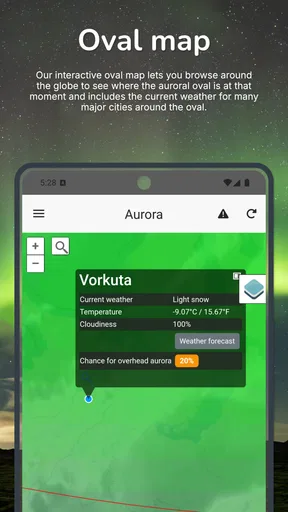
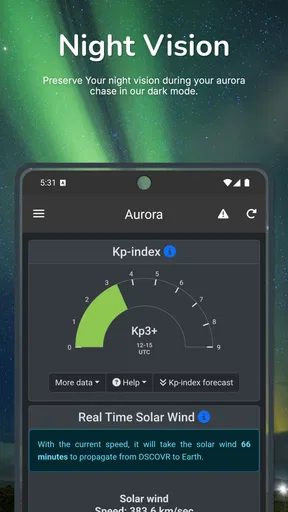
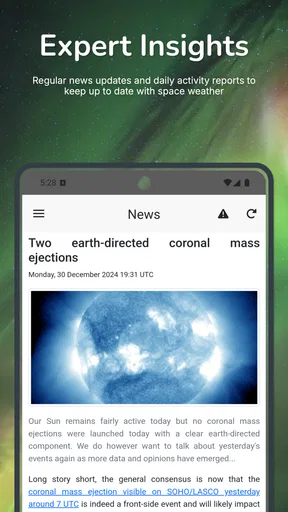
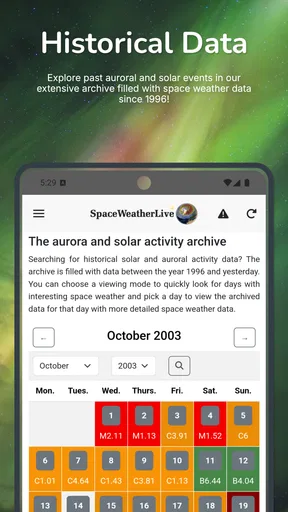
 Analysis by AppCompare
I judge a space-weather app less by how much information it can display than by whether that information helps me make a sensible decision. Should I stay up to watch the sky? Is a solar event worth following? What do the changing conditions mean beyond a colorful graph? SpaceWeatherLive is built for those questions, bringing aurora forecasting and solar activity into a mobile format. It is a focused alternative to an ordinary weather app, not a replacement for checking whether it will rain where you live.
That focus is both its appeal and its main trade-off. If you already enjoy astronomy, space science, or aurora watching, having relevant updates and data together can make it easier to follow what is happening. If you only want tomorrow’s temperature and a simple chance of rain, this is probably more detail than you need. I would think of it as a specialist companion: useful when the Sun and its effects are the subject, but not the all-purpose weather tool for everyday forecasts.
Who will get the most from it
I can see this fitting several kinds of users. An aurora enthusiast can use it to keep track of space-weather conditions before deciding whether a late-night outing is worthwhile. A beginner can explore solar activity and learn the vocabulary gradually, while a more experienced observer may appreciate being able to check a range of information without relying only on a broad forecast. The best reason to install it is curiosity that returns regularly, not a one-off search for a dramatic event.
It is also a useful shared reference for a small observing group. Rather than exchanging vague messages such as “the aurora might be active,” members can check the same app and discuss the conditions they are seeing. That does not make a forecast a guarantee: local sky visibility and the practicalities of getting outside still matter. I would treat the app as one part of a decision, alongside local conditions and a realistic plan for where to watch.
A practical way to use its information
For an everyday scenario, imagine that I have a free evening and am deciding whether to drive away from city lights. I would first use the app to see whether current solar and geomagnetic activity gives me a reason to pay attention. If it looks promising, I would then check the local forecast separately, since cloud cover and ordinary weather can ruin an otherwise interesting opportunity. I would also decide in advance how late I am willing to stay out instead of letting an alert dictate the whole evening.
That workflow is more useful than treating any single number or notification as a promise of a visible aurora. Space-weather signals describe activity; they do not by themselves settle what a person at a particular location will see. A good habit is to watch how conditions change over time, then combine that context with your location, the darkness of the sky, and local cloud conditions. This is one of the app’s less obvious strengths: it can encourage a more informed routine, not just a last-minute glance at a headline.
How it differs from ordinary weather apps
General weather apps are usually better for rain, temperature, wind, and planning the day. They answer the practical question of whether to take a coat; this app is for a different layer of the environment, including solar activity and aurora-related conditions. I would keep a conventional forecast app for daily plans and use this one when space weather is relevant. Trying to make either tool do the other’s job can lead to frustration.
Worth Reading Before You Choose

EA SPORTS FC Mobile 26 Is a Bigger Football Game, but It Takes Time

Flipboard Shows What News Apps Must Do Beyond the Feed

Switching to Android Auto Means Rethinking Your Driving Routine

Google Calendar Makes a Crowded Week Easier to Manage

Ludo King Makes the Most of the Minutes Between Plans

Baby Panda World Brings Quick Play to Modern Phones, but Its Game Library Feels Busy
Compared with a simple aurora alert or a single forecast page, a dedicated space-weather app can offer a broader view of the activity behind an alert. That added context is valuable if you like understanding why conditions may be changing, but it also asks more of you: charts and technical terms can take time to interpret. If all you want is a quick yes-or-no signal, a simpler notification service may feel easier. If you want to learn and follow developments, the extra detail is the point.
Small habits that make it easier to interpret
I would avoid checking it only when I am already standing outside hoping for a display. Looking at activity earlier gives me context and makes it easier to tell whether a later change is meaningful. I would also avoid reading a graph as if every movement were a clear prediction; trends and conditions need interpretation, and a promising space-weather picture cannot remove local obstacles such as clouds or light pollution.
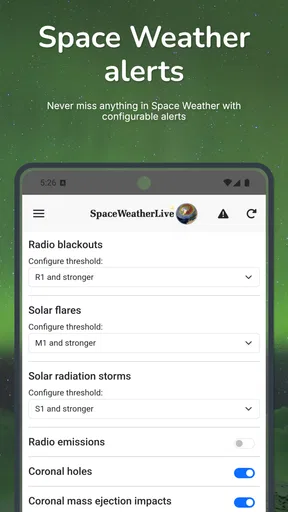
Notifications can help when I cannot keep the app open, but I would use them selectively. Alerts are most helpful when they bring me back to information I care about; too many can turn an interesting subject into background noise. I would start with the events I actually want to follow and adjust only after I understand how often the app’s updates matter to my routine. For a casual user, this restraint is more useful than enabling every possible alert at once.
Limits, learning curve, and value
The biggest limitation is not that space-weather data is irrelevant, but that it is easy to expect it to answer a different question. It cannot replace a local weather forecast or make an aurora visible through cloud, daylight, or city glow. Some of the data may also feel dense if you have never followed solar activity before. I would give myself time to learn what the displayed information is useful for, rather than assuming that a dashboard full of figures is automatically easy to act on.
There is also a practical distinction between trying the app and deciding how much of its offering you want. It is free to download, with optional in-app purchases ranging from $0.99 to $9.99 per item. I would begin with the free experience and only consider spending if I had identified a specific extra that improved how I use it. The app is rated for Everyone, but its subject matter will be most rewarding for people who enjoy looking beyond everyday forecasts.
For basic suitability, it runs on Android 6.0 or later. The current version is 1.9.1, and the app was released on September 7, 2018. Those details tell me what the current Android listing presents, but they do not by themselves establish how every feature has changed over time. I would check that the version available on my device suits my needs, particularly if I depend on a particular notification or workflow.
Exploring the Universe with SpaceWeatherLive
When I first downloaded SpaceWeatherLive, I was immediately drawn in by its sleek and user-friendly interface. The app does a stellar job of presenting complex astronomical data in a way that's both accessible and engaging. You don’t need a degree in astrophysics to navigate through the app’s various features, which is a huge plus for casual users like me.
Real-Time Space Weather Updates
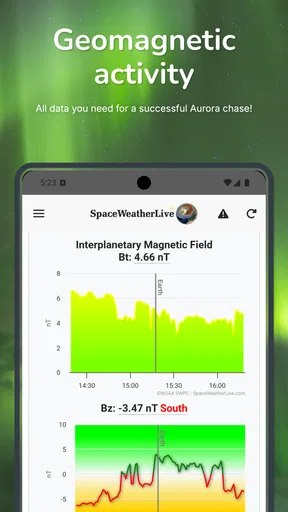
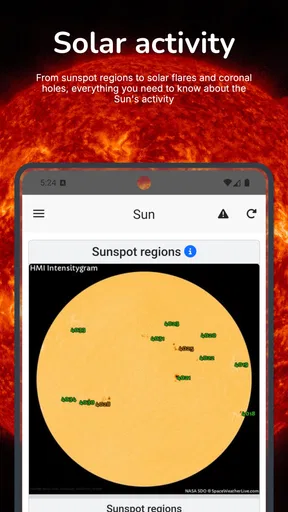
One of the standout features is the real-time space weather updates. The app provides detailed information on solar activity, geomagnetic storms, and auroras. What’s really cool is that you can personalize the notifications to alert you about specific cosmic events. So, if you’re eager to catch a glimpse of the Northern Lights, SpaceWeatherLive has got your back!
Data Galore
For those who love to dive into data, this app is a treasure trove. It offers detailed graphs and charts that track solar wind speeds, sunspot activity, and more. The data is sourced from reputable space agencies, ensuring accuracy and reliability. I found myself spending hours just browsing through the information available, and I learned a ton about how these cosmic phenomena affect us here on Earth.
User Community and Space News
Another feature that sets SpaceWeatherLive apart is its vibrant user community. There’s a section where users can share their observations and photographs. It's a great way to connect with fellow space enthusiasts. Plus, the app keeps you updated with the latest space news, so you’re always in the know about upcoming celestial events or breakthroughs in space research.
Intuitive Navigation and Design
The app’s design is visually appealing without being overwhelming. Navigation is intuitive, with easy-to-access menus that guide you through different sections. I appreciated how the developers have balanced the wealth of information with a clean, clutter-free layout. It's evident that a lot of thought has gone into making the user experience as seamless as possible.
SpaceWeatherLive is developed by Parsec vzw and has an average rating of 4.0 from around 2.1 thousand ratings, with 278 written reviews and over 100 thousand installs. Those figures suggest it has found an audience among people interested in the subject, though popularity alone cannot tell me whether its presentation will suit a newcomer. My impression is that its combination of data, updates, community material, and news is more compelling for someone who likes following space weather than for someone looking for a single quick forecast.
The version and release details are useful context, but I would not treat them as proof of a particular redesign or feature history. The app’s current version is 1.9.1, and it first appeared on September 7, 2018. For existing users, the sensible question is whether the version on their device continues to support the parts they rely on, such as checking activity or receiving the alerts they have chosen. I would review those settings after an update rather than assume that a long-standing setup still matches my preferences.
One limitation worth keeping in mind is that the app’s usefulness depends on how much you want to interpret. A newcomer may open a chart, recognize that it contains relevant information, yet still not know how that information should affect a decision. I would use the news and community sections as context, then return to the underlying activity rather than treating a photograph or post as a forecast for my own location. Reports from other observers can be inspiring, but their skies and circumstances may be different from mine.
The community angle can also be a reason to take a measured approach. Shared observations and photographs can help me see what other enthusiasts are noticing, but they are not a substitute for checking local conditions or judging whether a trip is worthwhile. If I am planning an outing with family or friends, I would agree on a backup plan before setting off. That keeps the experience enjoyable even when the sky does not cooperate, and it avoids turning an uncertain natural event into a promise the app cannot make.
For someone just starting out, I would explore one subject at a time instead of trying to absorb every graph and news item in a single sitting. I might begin with aurora-related updates, then look at solar activity that provides broader context, and only later compare the different displays. This makes the app feel less like a wall of specialist information. For a more experienced user, the same breadth can be a benefit: the challenge is not finding more material, but deciding which details are relevant to the question at hand.
There are situations where I would skip it. If my main concern is an accurate local forecast for a commute, outdoor work, or a weekend picnic, a standard weather app is the better first stop. If I rarely look up at the night sky and do not want to learn unfamiliar terms, SpaceWeatherLive may become an icon I seldom open. On the other hand, someone who follows auroras or solar activity can get more from it by treating it as a regular reference rather than expecting a spectacular event every time they check.
My overall recommendation is therefore quite specific: I would try it if space weather is already a curiosity, or if I want a more informed way to follow possible aurora conditions. I would pair it with ordinary local forecasts, use notifications sparingly, and give myself time to understand what the charts can and cannot tell me. With a 4.0 average and a free starting point, it is an approachable way to explore a specialist subject, while the optional purchases make it sensible to decide on extras only after I know what I need.
In summary, SpaceWeatherLive is more than just an app; it’s a gateway to the universe. Whether you’re tracking auroras, studying solar flares, or simply marveling at the wonders of space, this app delivers a comprehensive and engaging experience. So, if you’ve got a smartphone and a curiosity about the cosmos, I highly recommend giving SpaceWeatherLive a try. You might just find yourself looking at the sky with a newfound sense of wonder.
Pros
- Real-time solar activity updates.
- User-friendly interface for easy navigation.
- Comprehensive data on solar flares.
- Customizable alerts for solar events.
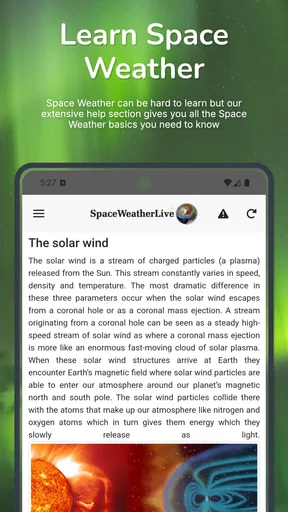
- Educational resources for beginners.
Cons
- Occasional loading delays.
- Ads can be intrusive at times.
- Limited offline functionality.
- Some data requires expert knowledge.
- No dark mode for night viewing.
FAQs for SpaceWeatherLive
What is SpaceWeatherLive and what does it offer?
SpaceWeatherLive is an app designed to provide real-time updates and information on space weather. It offers users detailed insights into solar activity, geomagnetic storms, and auroral forecasts. The app is perfect for anyone interested in space weather phenomena, from amateur astronomers to professionals needing precise data for research.
How user-friendly is the SpaceWeatherLive interface?
SpaceWeatherLive features an intuitive interface designed for easy navigation. Users can quickly access key data, such as solar wind readings and aurora forecasts, through a clean and organized layout. Whether you're a beginner or an expert, the app's design ensures a seamless experience while exploring complex space weather information.
Does SpaceWeatherLive provide alerts for significant space weather events?
Yes, SpaceWeatherLive offers customizable notifications for significant space weather events. Users can set alerts for solar flares, geomagnetic storms, and other phenomena. This feature ensures that you stay informed about crucial developments, enabling you to plan observations or take necessary precautions in advance.
Is SpaceWeatherLive available for both Android and iOS devices?
SpaceWeatherLive is available for both Android and iOS platforms, ensuring broad accessibility for users. The app can be downloaded from the Google Play Store and the Apple App Store. Regular updates ensure compatibility with the latest operating system versions, offering a smooth experience across devices.
Does SpaceWeatherLive require an internet connection to function?
SpaceWeatherLive does require an internet connection to provide up-to-date information and alerts. The app relies on real-time data from various space weather monitoring sources. However, once data is downloaded, some features may remain accessible offline, allowing for basic information review without continuous connectivity.


